Resume template · Updated October 2026
Editable resume template you can change line by line
Short answer
This sample is editable two ways: download the DOCX and change it in Microsoft Word, or open it in the Resumity builder and click any line to rewrite it. It is not a fillable PDF form, since the PDF has no form fields. Catalyst is the pick for an experienced account manager who edits a resume for every application, because it has no summary to rewrite.
Download the editable sample
Priya is a fictional senior account manager. Replace every detail with your own before you send it.
The files are made in your browser by Resumity's own exporters, from this sample. The builder opens it as your own resume: click any line to replace it. Free plan, no watermark.
Why Catalyst suits an editable resume
Catalyst prints no summary and opens with work experience, so tailoring for a new posting comes down to the job title line under your name and the top bullets of your current role. It is meant for experienced people whose latest job carries the application, which fits an account manager with a book of renewals to show.
Second choice: Leslie. Leslie also puts experience ahead of skills but includes a summary, worth the extra edit when you are moving to a new industry and need two lines of context.
What goes in each section, in Catalyst's order
Catalyst prints its sections in a fixed order, the same in the PDF and the Word file. Here is that order for this sample, and what to put in each section.
- Work Experience. Most of your edits happen here. Keep a longer master list of bullets for each job, then show the four that match the posting: renewal figures for retention roles, expansion revenue for growth roles, onboarding results for customer success.
- Skills. Catalyst prints labelled rows after the jobs. Reorder the Tools row for each application so the CRM the company uses comes first, and delete tools it never mentions instead of carrying a long list.
- Education. One line at this career stage: degree, school, year. It rarely changes between applications, which leaves one less thing to check before you send.
- Recognition. Recognition prints last under its own heading. Keep awards with a clear basis (a named sales club, a renewal ranking) and their year; drop internal shout-outs a reader cannot interpret.
The sample resume as text
The same content as the files above, so you can copy a line or compare it with your own.
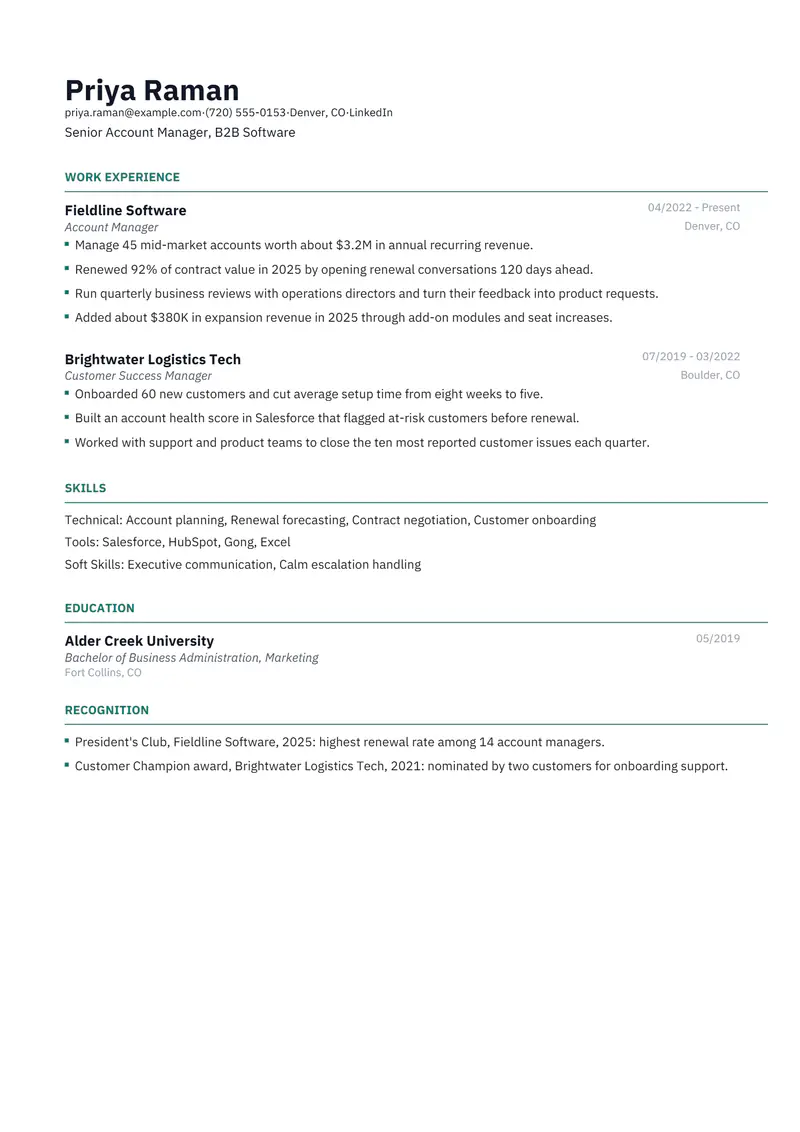
Priya Raman
Senior Account Manager, B2B Software
Denver, CO | priya.raman@example.com | (720) 555-0153 | linkedin.com/in/sample-priya-raman
Experience
Account Manager, Fieldline Software, Denver, CO (04/2022 to Present)
- Manage 45 mid-market accounts worth about $3.2M in annual recurring revenue.
- Renewed 92% of contract value in 2025 by opening renewal conversations 120 days ahead.
- Run quarterly business reviews with operations directors and turn their feedback into product requests.
- Added about $380K in expansion revenue in 2025 through add-on modules and seat increases.
Customer Success Manager, Brightwater Logistics Tech, Boulder, CO (07/2019 to 03/2022)
- Onboarded 60 new customers and cut average setup time from eight weeks to five.
- Built an account health score in Salesforce that flagged at-risk customers before renewal.
- Worked with support and product teams to close the ten most reported customer issues each quarter.
Recognition
- President's Club, Fieldline Software, 2025: highest renewal rate among 14 account managers.
- Customer Champion award, Brightwater Logistics Tech, 2021: nominated by two customers for onboarding support.
Education
Bachelor of Business Administration, Marketing, Alder Creek University (05/2019)
Skills
Account planning, Renewal forecasting, Contract negotiation, Customer onboarding, Salesforce, HubSpot, Gong, Excel, Executive communication, Calm escalation handling
How to make the sample yours
Choose where you will edit: Word or the builder
Word suits a one-off change to a DOCX you already have. The builder suits repeated tailoring: click a line, rewrite it, and export a PDF and a DOCX that match each other.
Rewrite the headline for each posting
Catalyst has no summary, so the line under your name is your only introduction. Change it to the title in the ad, such as "Senior Account Manager, Mid-Market SaaS".
Keep a master copy and save tailored copies apart
Put the company in each tailored file name, for example Firstname-Lastname-Resume-Halvorsen.docx, so you know which version a recruiter has in front of them when they call.
Wanted a fillable form? The builder does that job
The PDF has no boxes to type into. In the builder each line of the sample can be clicked and replaced, and a new PDF is made from your text when you export.
Refresh the numbers when a quarter closes
Retention rates and book size go stale fast. Update them in your master copy every quarter so the figures are current when an opening appears.
Keywords to keep where they are true
Terms this kind of resume is usually searched for. Use the posting's exact wording, and only for work you have done.
- account management
- contract renewals
- net revenue retention
- upselling
- quarterly business reviews
- Salesforce
- HubSpot
- pipeline management
- customer onboarding
- churn reduction
- contract negotiation
- account planning
Mistakes to avoid
- Editing the PDF in a PDF editor and sending that. Change the DOCX or the builder copy and export again, so your PDF and Word versions stay identical in content.
- Leaving the last company's name in a tailored headline or bullet. Read the whole page once before every send.
- Tailoring by adding tools or results you do not have. Choose which true results to show; do not change what you claim.
- Rewriting the whole page for every application. Change the headline, the leading bullets and the skills order; the jobs and dates stay put.
How the sample PDF reads in text extractors
We exported this sample with Resumity's PDF exporter in Chrome on 2026-10-29 and read the file back with three open-source text extractors. This shows whether software that turns a PDF into text can recover it; it is not a test of any commercial applicant tracking system. How we test templates.
| Extractor | Name, email, phone | Headings | Bullets intact |
|---|---|---|---|
| pdf.js 4.10.38 | All found | 4 of 4 | 7 of 7 |
| pdftotext (Xpdf) 4.00 | All found | 4 of 4 | 7 of 7 |
| pypdf 6.13.0 | All found | 4 of 4 | 7 of 7 |
Frequently asked questions
Can I edit this resume template in Microsoft Word?
Yes. Download the DOCX and open it in Word; every line can be changed. Google Docs and LibreOffice can import the same file, though spacing or fonts may shift slightly.
Is there a fillable PDF version of this resume?
No. The PDF has no form fields. To fill in your own details, use the Word file or open the sample in the builder, then export a new PDF.
How much should I change my resume for each job?
Usually the headline, the order of the skills and which three or four bullets lead your recent jobs. Employers, dates and education stay the same.
How do I keep track of different versions of my resume?
Keep one master copy with every bullet you might use, then save each tailored version with the company name in the file name and note which one went where.
Do I need to pay to edit and download my resume?
No. The builder lets you edit and export PDF and Word files on the free plan, with no watermark.
Will applicant tracking systems read this Catalyst PDF?
The sample PDF read back with its contact details, all 4 section headings and all 7 bullets intact in three open-source text extractors (pdf.js, pdftotext and pypdf). Commercial systems such as Workday, Greenhouse or Taleo were not tested, and each employer configures its own.
Guides and templates for this resume
More in resume template formats.